
Download speed
How fast data reaches you, in megabits per second (Mbps). It decides how quickly pages load, videos start and files download. Most of what you do online is download.
Check your download speed, upload speed and ping in seconds. Free, accurate and private, with no account needed.
The test server could not be reached. Check your connection and try again.
| ↓ Mbps | ↑ Mbps | Ping |
|---|
Saved only in this browser.
How fast data reaches you, in megabits per second (Mbps). It decides how quickly pages load, videos start and files download. Most of what you do online is download.
How fast you can send data: video calls, uploading photos and videos, cloud backups and live streaming. Many plans have a much lower upload than download speed.
The time a small message takes to reach the server and come back, in milliseconds (ms). Lower is better: under 30 ms feels instant, over 100 ms you notice delays in games and calls.
How much the ping changes from one moment to the next. High jitter makes voice and video calls break up and games feel uneven, even when the average ping is fine.
Your ping while the connection is busy downloading or uploading. If it jumps far above the idle ping, calls and games lag whenever someone else in the home streams or downloads. A router with SQM or Smart Queue fixes it.
Speeds per device for a smooth experience. Add them up for everyone online at the same time.
| Activity | Download | Upload | Ping |
|---|---|---|---|
| Browsing, email, social media | 5 Mbps | 1 Mbps | < 100 ms |
| HD video streaming | 10 Mbps | 1 Mbps | any |
| 4K video streaming | 25 Mbps | 1 Mbps | any |
| Video calls (HD) | 10 Mbps | 5 Mbps | < 100 ms |
| Online gaming | 15 Mbps | 5 Mbps | < 50 ms |
| Home with 4+ people working and streaming | 200 Mbps | 30 Mbps | < 50 ms |
The test runs in your browser against the nearest data center of Cloudflare's global network, so the server is close to you and results are consistent.
Ping is measured from many small requests, with the server's processing time removed, so you see the real network round trip. Jitter is how much those pings vary.
Download and upload are measured with transfers of growing size until your connection is saturated. Ping is also measured during the transfers to show latency under load.
A test on a very fast connection can use a few hundred MB of data. Results are saved only in your browser; this site uses no cookies and no tracking.
The Speed Internet Test app adds a full test history with trends, Wi-Fi and mobile data labels, a shareable result card, a room-by-room building survey and an Apple Watch app.


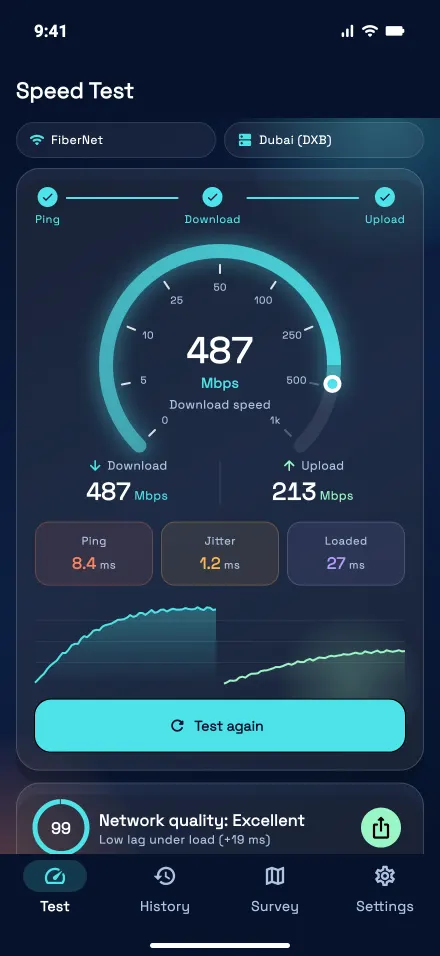
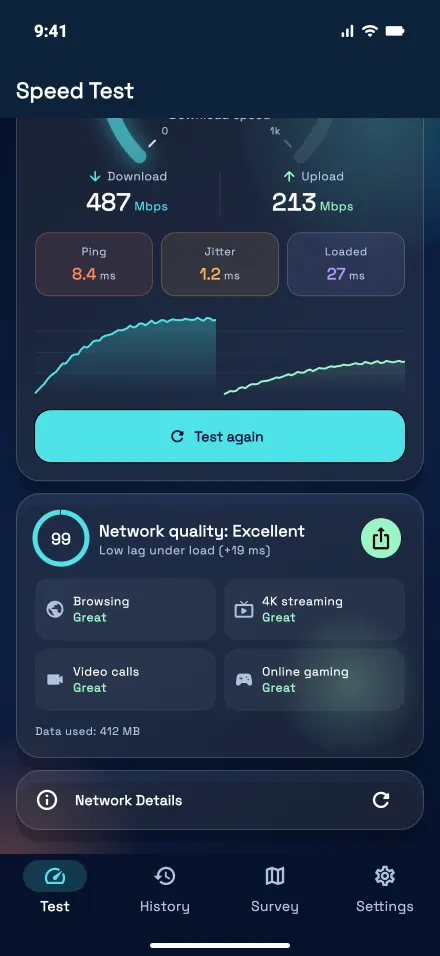
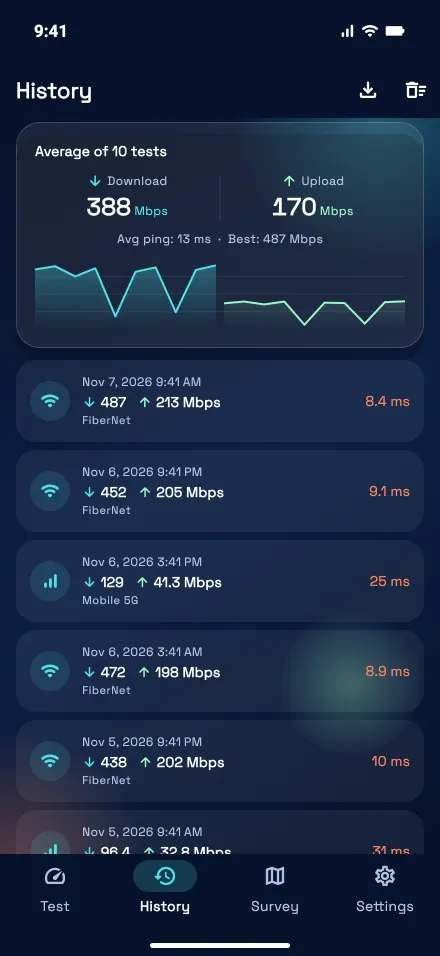
Yes. The test is completely free, needs no account, and works in any modern browser on phones, tablets and computers.
Plans are sold as a maximum. Wi-Fi distance and walls, older devices, other people using the connection and busy evening hours all lower what you get. Test with a cable next to the router to see what your line delivers.
Wi-Fi loses speed with distance, walls and interference from neighboring networks. The 5 GHz and 6 GHz bands are faster near the router, and a mesh system helps in large homes.
Under 30 ms is excellent and under 50 ms is good for fast games. Also check latency under load: if it rises a lot during the test, games will lag when others use the internet.
Jitter is the variation in ping. Under 10 ms is good. High jitter makes calls robotic and games stutter, even if your speed is high.
Bufferbloat is extra delay when the connection is busy, because the router queues too much data. The test shows it as latency under load. Enabling SQM or Smart Queue on the router usually fixes it.
It depends on your speed: a few MB on slow connections and up to a few hundred MB on very fast fiber or 5G. Keep that in mind on a limited mobile plan.
Yes. It measures whatever connection your device is using: Wi-Fi, mobile data (3G, 4G, 5G), fiber or cable.